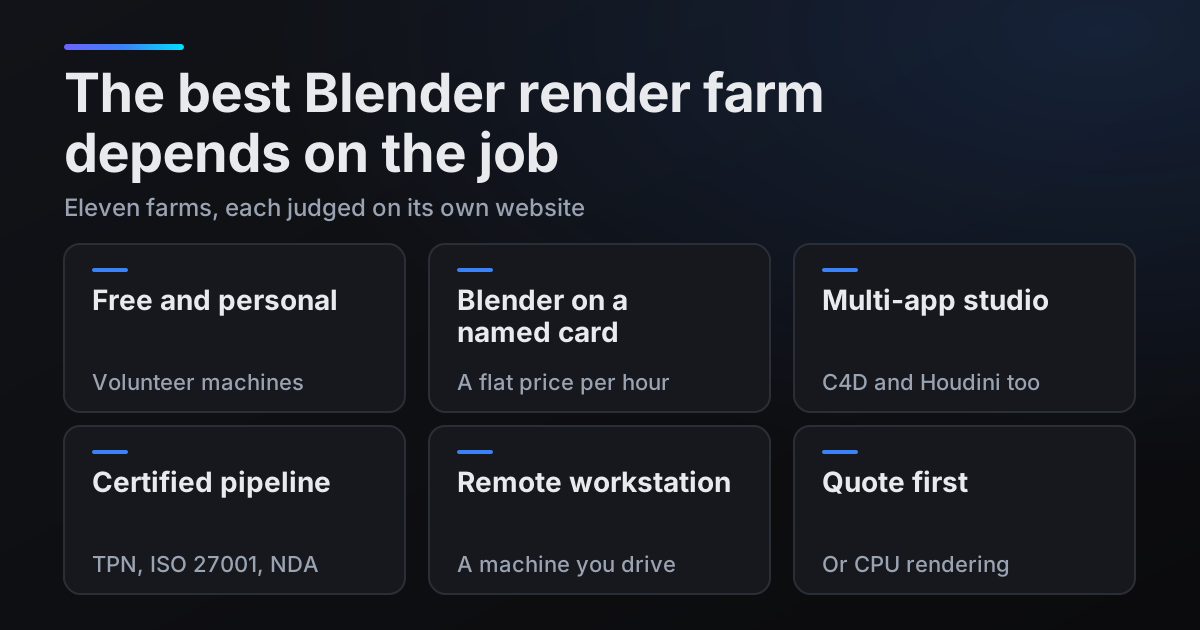
Search for the best Blender render farm and most results are written by a render farm, often with itself at the top. This one is written by a render farm too, blender.farm, so it ranks nobody. Every figure below comes from the farm's own page (the sources and the dates we read them are listed at the end), and where a page says nothing, so do we. The short answer depends on the job:
- Personal work under 2 GB, for free: SheepIt.
- Cycles or EEVEE at a flat hourly price on a named card: blender.farm, Super Renders Farm or TURNA.
- Several 3D apps in one studio: Drop & Render, GarageFarm.NET or Ranch Computing.
- A contract that requires TPN, ISO 27001 or an NDA: Fox Renderfarm.
- A machine you drive yourself, with any Blender build: iRender.
- An exact quote before rendering, or regular CPU rendering: Blendergrid or RenderStreet.
There is no overall score: the right farm for a Houdini studio under NDA is the wrong one for a student with a Cycles animation. Each farm's section below says why, ours included, and the decision table at the end puts all eleven side by side.
Three questions to ask any render farm's price page
Before the farms, the method. Three questions turn a price page into something you can compare.
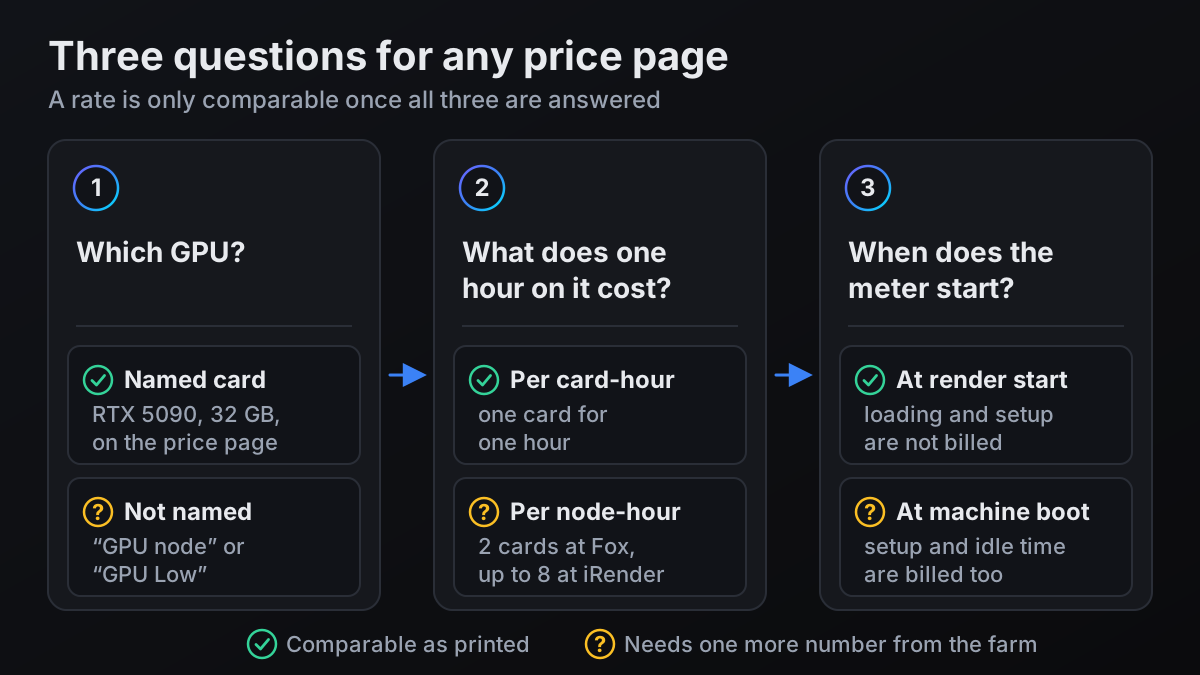
- 1.Which GPU? A named card, such as an RTX 5090 with 32 GB, does a fixed amount of work per hour. "GPU node" or "GPU Low" does not.
- 2.What does one hour on it cost? Watch the unit: a node-hour covers every card in the machine (two at Fox Renderfarm, up to eight at iRender), a card-hour covers one.
- 3.When does the meter start? At render start, or at machine boot, which adds every minute of loading, setup and idle time.
The pricing units you will meet
Farms with mixed hardware price in abstract units, so one rate covers all of it. None of these converts into another without a number the farm has to give you.
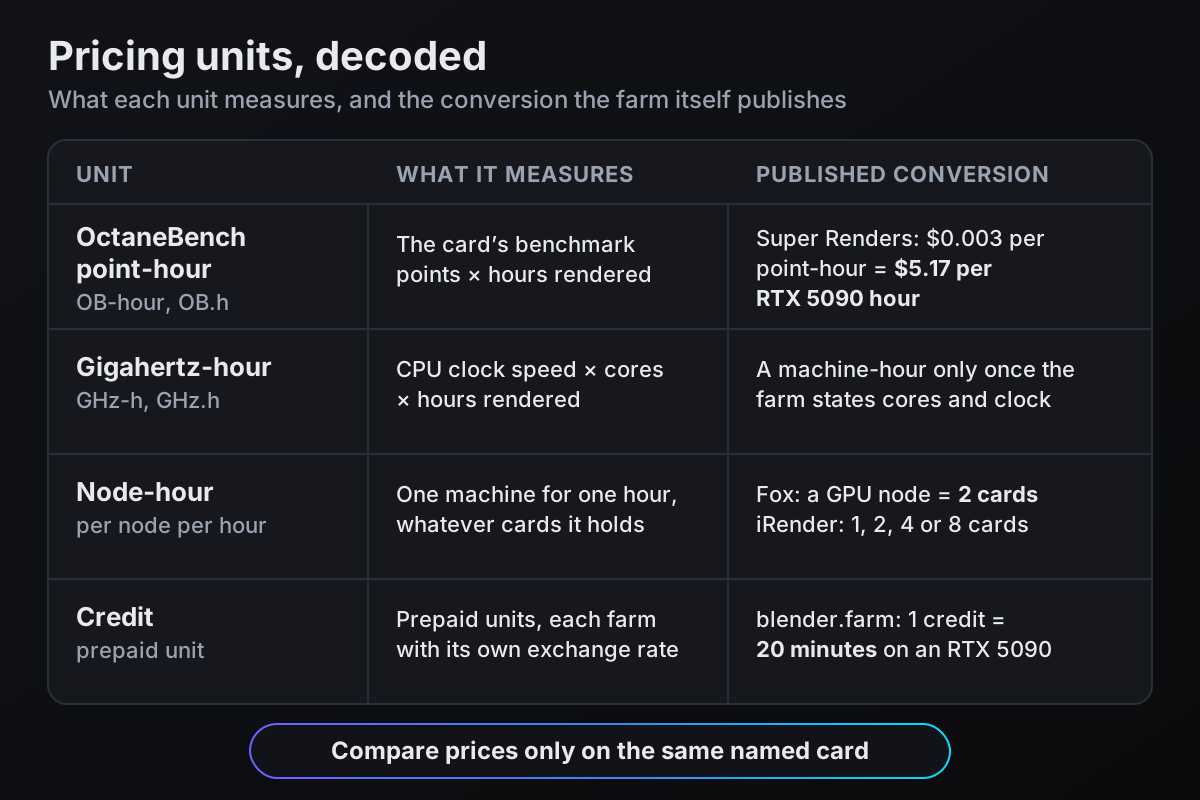
- OctaneBench point-hour (OB-hour or OB.h on some pages): a price per benchmark point per hour. Multiply by the card's OctaneBench score for a price per card-hour. Super Renders does the sum for you: $0.003 per point-hour is $5.17 for an hour on one RTX 5090.
- Gigahertz-hour: the CPU version, clock speed times cores times hours. It means little until the farm states the server's cores and clock.
- Node-hour: one machine for an hour, however many cards it holds. A Fox Renderfarm GPU node is 2 cards; iRender rents nodes with 1, 2, 4 or 8 RTX 5090s.
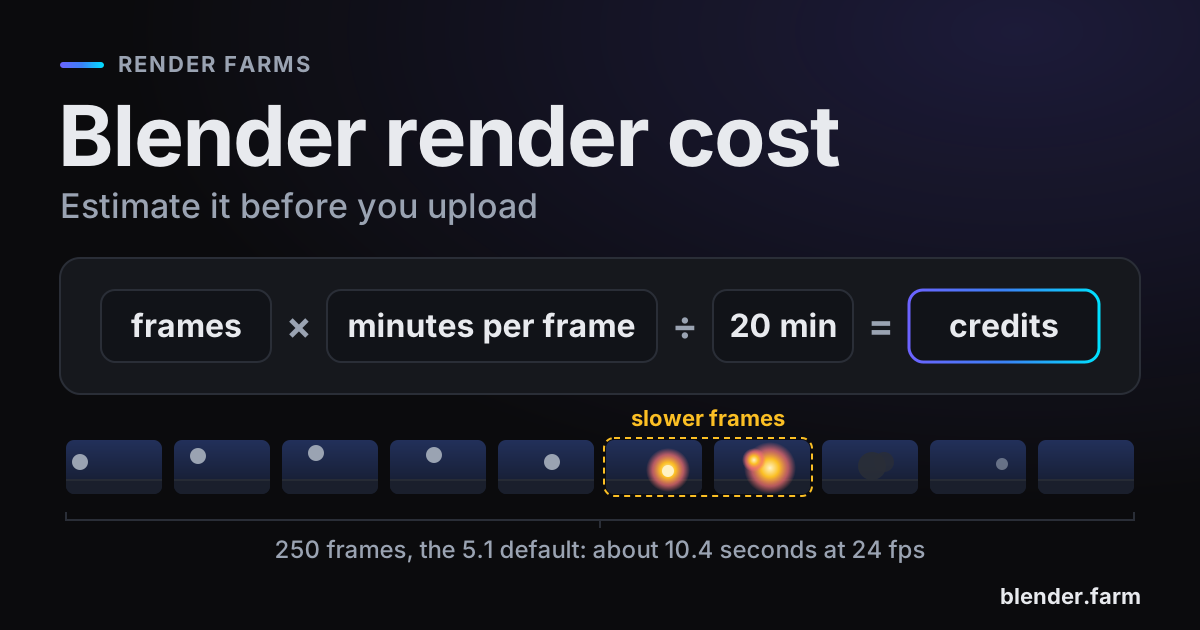
- Credits: prepaid units at each farm's own rate. On blender.farm, 1 credit is 20 minutes of render time on an RTX 5090.
Check your own scene first
Four facts about your file narrow the list.
- Engine. Properties > Render > Render Engine reads Cycles, EEVEE, Workbench or a third-party engine installed as an add-on. Octane, Redshift or V-Ray shortens the list fast.
- Version. Blender menu > About Blender (the Blender logo at the left of the topbar) shows the version you run, and saving the file stamps it with that version. Several farms below take only certain versions.
- Memory. The Blender manual warns that GPUs "have some limitations in rendering complex scenes, due to more limited memory". How much VRAM Blender needs shows how to check a scene.
- Size. The .blend plus everything it references. SheepIt caps a project at 2,048 MB; Blendergrid and blender.farm take up to 100 GB.
Free and personal work: SheepIt
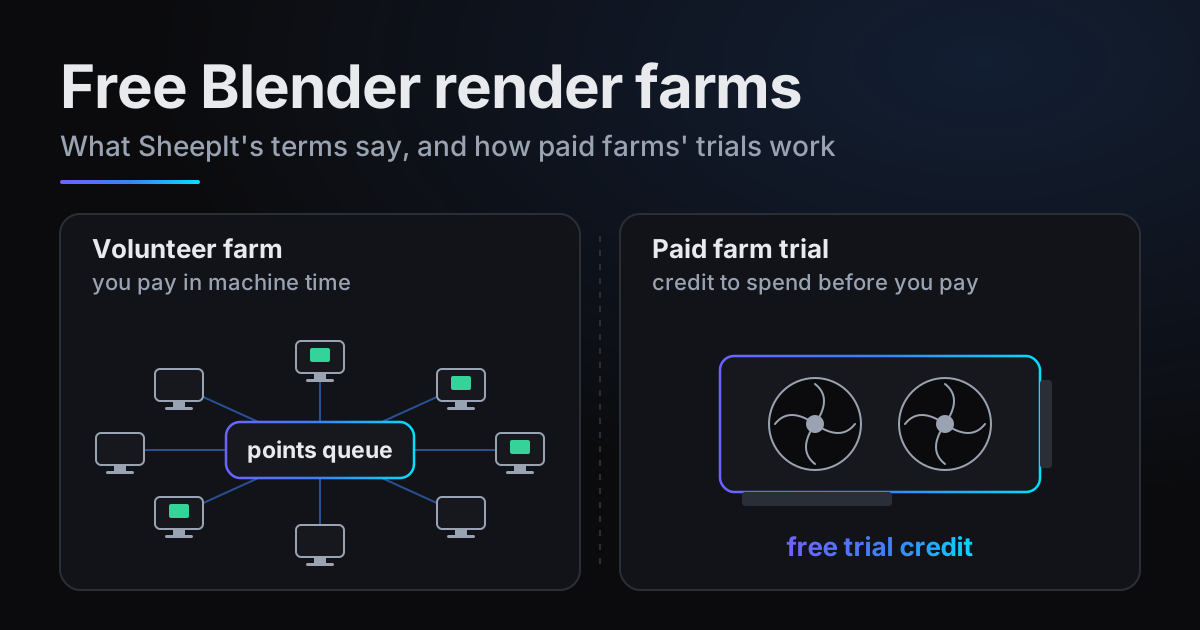
SheepIt is "a free distributed renderfarm for Blender": your frames render on computers that other users share. Its FAQ is plain about the order: "Points are used to order the list of projects", and "You will earn points by sharing your computer to help to render." Projects are limited to 2,048 MB.
Pick SheepIt when the work is personal, fits in 2 GB, and you are happy to earn your place in the queue. Free Blender render farms goes through its terms.
Blender on a named card at a flat hourly price
All three farms here name the RTX 5090 for Blender work, and two of them, blender.farm and Super Renders, price an hour of rendering on it, so this is where prices compare directly. iRender rents the same card as a whole machine, further down.
blender.farm
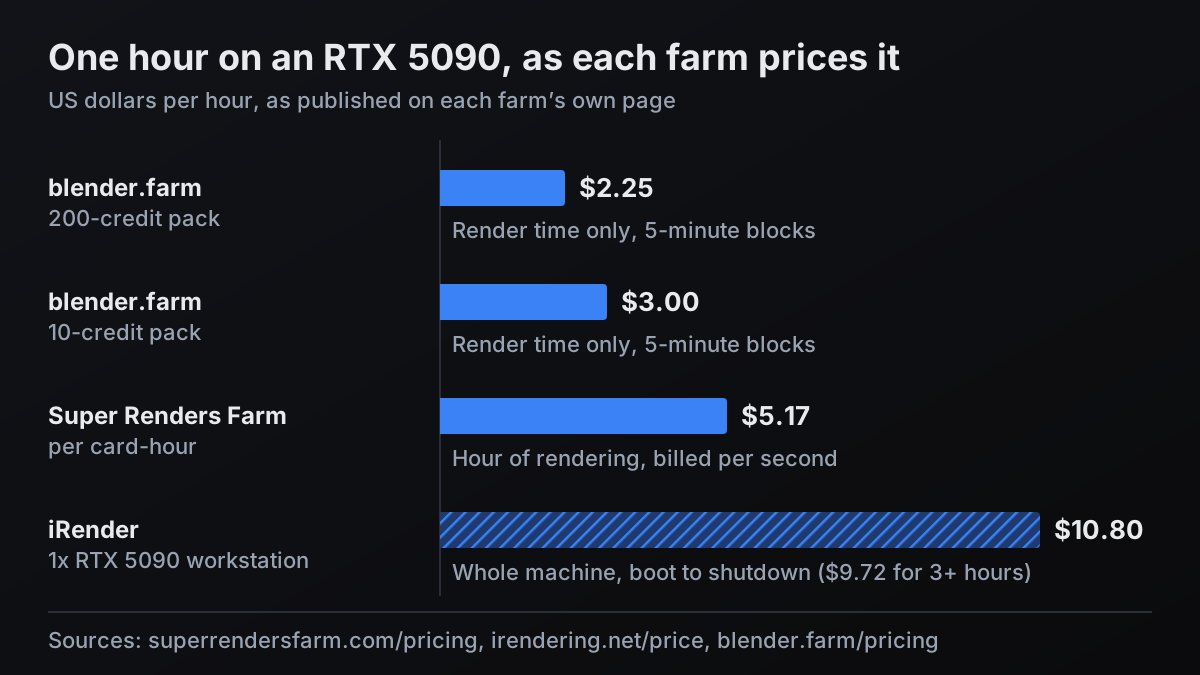
Cloud NVIDIA RTX 5090 machines with 32 GB of VRAM, at a flat rate: 1 credit buys 20 minutes, so the 10-credit pack ($9.99) is $3.00 per render hour and the 200-credit pack ($149.99) is $2.25. Time is billed in 5-minute blocks, and only while Cycles or EEVEE renders; uploading, waiting for a machine and booting are free. New accounts get 10 free credits (3h 20m).
Each render runs the Blender version the file was saved in (4.4, 4.5 LTS, 5.0, 5.1 or 5.2); other versions are refused before upload. The free add-on estimates the cost before launch and uploads the textures, caches, linked libraries and add-ons the scene needs, and frames stream back while it renders.
Pick blender.farm when the scene is Cycles or EEVEE in Blender 4.4 to 5.2 and you want the card and the price per render hour settled before you upload.
Super Renders Farm
The same card, at $0.003 per OctaneBench point-hour, which its pricing page converts itself: "One RTX 5090 (32 GB VRAM) costs $5.17 per hour of rendering". It is "Billed per second", includes V-Ray, Corona, Redshift, Arnold and Octane licences, and offers 24/7 live chat, email and phone. Its Blender page lists Blender 2.79 through 5.2, EEVEE, and V-Ray, Octane and Redshift for Blender "provisioned on request".
On the same card, an hour on blender.farm costs about 42% less (1 - 3.00 / 5.17 = 0.42), and about 56% less on the 200-credit pack (1 - 2.25 / 5.17 = 0.56). In their favour: per-second billing, where a 2-minute test here is billed as one 5-minute block. More in blender.farm vs Super Renders.
Pick Super Renders when you want an RTX 5090 with Octane, Redshift or V-Ray in Blender, a file older than 4.4, per-second billing or a phone line.
TURNA
A Blender-only farm in France, priced per hour by tier: "Standard €4.90/h on 1 machine, Boost €10.90/h on 2 machines, Max €23.90/h on 4 machines, Turbo €49.90/h on 8 machines", excluding VAT. It renders "on RTX 5090 GPUs first, RTX 4090 when none is free", and "The price depends on the tier only, not on the GPU model the render lands on." Its add-on covers Blender 4.0 to 5.2.
Pick TURNA when your file is from Blender 4.0 to 4.3, or you want a Blender-only farm that prices in euros.
Cinema 4D, Houdini or other engines in the same studio
When one studio sends Blender, Cinema 4D and Houdini jobs, or renders Blender scenes in Redshift or V-Ray, a Blender-only farm is the wrong fit. These three price GPU time in benchmark-point units, so they are described here by what they support.
Drop & Render
"Drop & Render supports Cinema 4D, Blender, and Houdini" and "automatically detects which version you are using". Its pricing page lists 24/7 live chat, credits that never expire, a shared studio credit balance with roles, and "Frames that fail on our end are automatically refunded." Of its three priority tiers it says "you're only charged the higher rate when it actually speeds up your render". No GPU model is named.
Pick Drop & Render when a studio wants one credit balance across all three apps. Rates: blender.farm vs Drop & Render.
GarageFarm.NET
GarageFarm names its GPU nodes, from "1x Nvidia RTX 4000 Ada 20GB vRAM" to "1x Nvidia RTX 6000 Pro Blackwell 96GB vRAM", each with its own hourly price range, and prices GPU jobs at $0.004, $0.006 or $0.012 per OB-hour by priority. For Blender it lists "Cycles, Eevee, Internal, LuxCoreRender, Redshift, and Chaos Group's V-Ray for Blender", with "Real Blender artist support, 24/7".
Pick GarageFarm when the scene needs more than 32 GB of VRAM, or Redshift or V-Ray inside Blender. See blender.farm vs GarageFarm.
Ranch Computing
Ranch, in Paris, lists seven 3D apps including Blender, Cinema 4D, Maya and Houdini, and engines from Cycles and Eevee to Octane, Redshift and V-Ray. GPU time is sold as Low, Medium and High from 0.005 € per OB.h; no GPU model is named. Pick Ranch when a European studio wants one farm for several apps.
Certified pipelines and NDAs: Fox Renderfarm
Fox's Blender page says it "is a TPN-accredited vendor with ISO 27001 certification" and that "NDA agreements are available". It supports "Blender 2.63 or later" with Cycles and EEVEE, and offers "24/7 technical and customer support". GPU time is priced per node per hour, a node being 2 cards: $1.80 at Ordinary down to $0.90 at Diamond, the level set by your total recharge (Diamond from $10,000). No GPU model is named.
blender.farm carries none of these certifications; if a contract asks for TPN or ISO 27001, that decides it. Pick Fox when the contract names an audited vendor, or your file predates Blender 4.4. See blender.farm vs Fox Renderfarm.
A remote machine you drive yourself: iRender
iRender rents whole machines. Its "GPU Cloud Workstation" with one RTX 5090 (32 GB) is $10.8 per node-hour, or $9.72 if you pay for 3 hours or more; 2x, 4x and 8x RTX 5090 machines are $20, $38 and $62. You connect, install what you like (its Blender page mentions "arbitrary Blender versions or daily builds"), render and shut down. Its own blog on this model: "the billing clock starts at boot and stops at shutdown."
So its bar on the chart is the same card but a different hour, setup and idle time included. Pick iRender when you need a build no farm installs, such as a daily build, or want to drive the machine yourself.
A quote before you render, or CPU rendering
Blendergrid
Its pricing page: "Before you start rendering, we always give you a free sample render and let you know the exact price of your project." Uploads go up to 100 GB. Its comparison of 8 February 2026 lists its own cons, to its credit: "Cycles only, CPU only (no EEVEE, no GPU rendering)", "Support limited to EU business hours" and "Quote process takes 5-15 minutes (not instant)". Pick Blendergrid when you want an exact price and a sample frame before a Cycles job.
RenderStreet
Cycles on GPU runs on "NVIDIA L40s, 48 GB VRAM" at $4.49 per server-hour (cards per server not stated); on-demand CPU is $3.00 per server-hour, both billed by the minute. RenderStreet One is "$59.97/month unlimited Blender CPU rendering", up to 15 minutes per animation frame unless upgraded. Pick RenderStreet when you render Cycles on CPU often enough for a monthly fee to pay off.
The best Blender render farm for each job: the decision table
One row per farm, and no price column: these units do not convert into each other. The RTX 5090 chart above is the only like-for-like price.
| Farm | Pick it when | GPU named on its own page | Pricing unit | Head-to-head |
|---|---|---|---|---|
| SheepIt | Personal work under 2 GB, points queue | Volunteer machines | Free | None |
| blender.farm | Cycles or EEVEE, Blender 4.4 to 5.2, price known up front | One RTX 5090 (32 GB) per render | Per render hour, 5-minute blocks | That's us |
| Super Renders Farm | RTX 5090 with Octane, Redshift or V-Ray; files before 4.4 | RTX 5090 (32 GB) | Per point-hour, stated per card-hour | vs Super Renders |
| TURNA | Blender 4.0 to 4.3; euro pricing | RTX 5090 first, RTX 4090 if none is free | Per hour, by tier | None |
| Drop & Render | Blender, Cinema 4D and Houdini on one account | Not named | Credits per point-hour, by tier | vs Drop & Render |
| GarageFarm.NET | Over 32 GB of VRAM; Redshift or V-Ray in Blender | Five node types, up to 96 GB | Per OB-hour, by priority | vs GarageFarm |
| Ranch Computing | Several apps, one European farm | Not named | Per OB.h, by priority | None |
| Fox Renderfarm | TPN, ISO 27001 or NDA required; Blender before 4.4 | Not named; a node is 2 cards | Per node-hour, by total recharge | vs Fox Renderfarm |
| iRender | Daily builds; a machine you drive | RTX 5090 and RTX 4090 | Per node-hour, boot to shutdown | None |
| Blendergrid | Exact price and sample render first | None, CPU only | Quoted per project | None |
| RenderStreet | Regular CPU rendering for a monthly fee | L40s 48 GB for GPU work | Per server-hour, or monthly | None |
Questions people ask about Blender render farms
- What is the cheapest Blender render farm?
- SheepIt costs no money: you pay in points earned by rendering for others. Among paid farms, prices only compare on the same card: on the RTX 5090, blender.farm is $3.00 per render hour ($2.25 on the 200-credit pack), Super Renders $5.17 per card-hour and iRender $10.80 per node-hour billed from boot, each as the farm's own page publishes it.
- Is there a free Blender render farm?
- Yes: SheepIt, which runs on computers its users share, with projects limited to 2,048 MB and ordered by points. Many paid farms give trial credit instead; blender.farm gives new accounts 10 credits, 3h 20m of render time on an RTX 5090.
- Which render farms name the RTX 5090 on their price page?
- Of the farms in this guide, blender.farm, Super Renders and iRender publish a price for an hour on an RTX 5090. TURNA renders "on RTX 5090 GPUs first, RTX 4090 when none is free", priced by tier rather than by card.
- Which render farms support EEVEE?
- By their own pages: blender.farm, SheepIt, Super Renders, TURNA, Drop & Render, GarageFarm, Ranch Computing, Fox Renderfarm, iRender and RenderStreet. Blendergrid lists "Cycles only, CPU only (no EEVEE, no GPU rendering)" among its own cons.
Sources
- SheepIt, home page, read 29 October 2026
- SheepIt, FAQ (project size, points), read 29 October 2026
- Super Renders Farm, pricing, read 29 October 2026
- Super Renders Farm, Blender cloud render farm (versions, engines), read 29 October 2026
- TURNA, pricing, read 29 October 2026
- Drop & Render, home page (applications, versions), read 29 October 2026
- Drop & Render, pricing, read 29 October 2026
- GarageFarm.NET, pricing (GPU nodes and priority tiers), read 29 October 2026
- GarageFarm.NET, Blender render farm (engines, support), read 29 October 2026
- Ranch Computing, home page (applications, engines), read 29 October 2026
- Ranch Computing, prices, read 29 October 2026
- Fox Renderfarm, Blender render farm (TPN, ISO 27001, versions), read 29 October 2026
- Fox Renderfarm, membership scheme (GPU price per node), read 29 October 2026
- iRender, price page (RTX 5090 workstations), read 29 October 2026
- iRender, Blender render farm service, read 29 October 2026
- iRender blog, Idle cloud servers are burning your budget (billing clock), read 29 October 2026
- Blendergrid, pricing, read 29 October 2026
- Blendergrid, home page (upload size), read 29 October 2026
- Blendergrid, Best Blender render farms compared (8 February 2026), read 29 October 2026
- RenderStreet, GPU render farm, read 29 October 2026
- RenderStreet One, subscription, read 29 October 2026
- Blender Manual, Render Engines, read 29 October 2026
- Blender Manual, Topbar (About Blender), read 29 October 2026
- Blender Manual, GPU Rendering, read 29 October 2026