Cycles vs EEVEE is not a question of which engine is better. The Blender manual states the difference plainly: EEVEE “is based on rasterization and is not a path tracer”, Cycles is “Blender's physically-based path tracer for production rendering”, and “Cycles will always provide more physically accurate renders.” That accuracy only matters where your shot shows the gap.
The short answer: use Cycles when the shot depends on something EEVEE does not model, such as fog seen in a mirror, smoke that should shadow the ground, glass behind glass or a panoramic camera. Use EEVEE for stylised work, motion graphics and any shot where one test frame in each engine looks the same to you and your client. The rest of this guide explains where those limits come from and how to run that test.
Cycles vs EEVEE: how each one makes a pixel
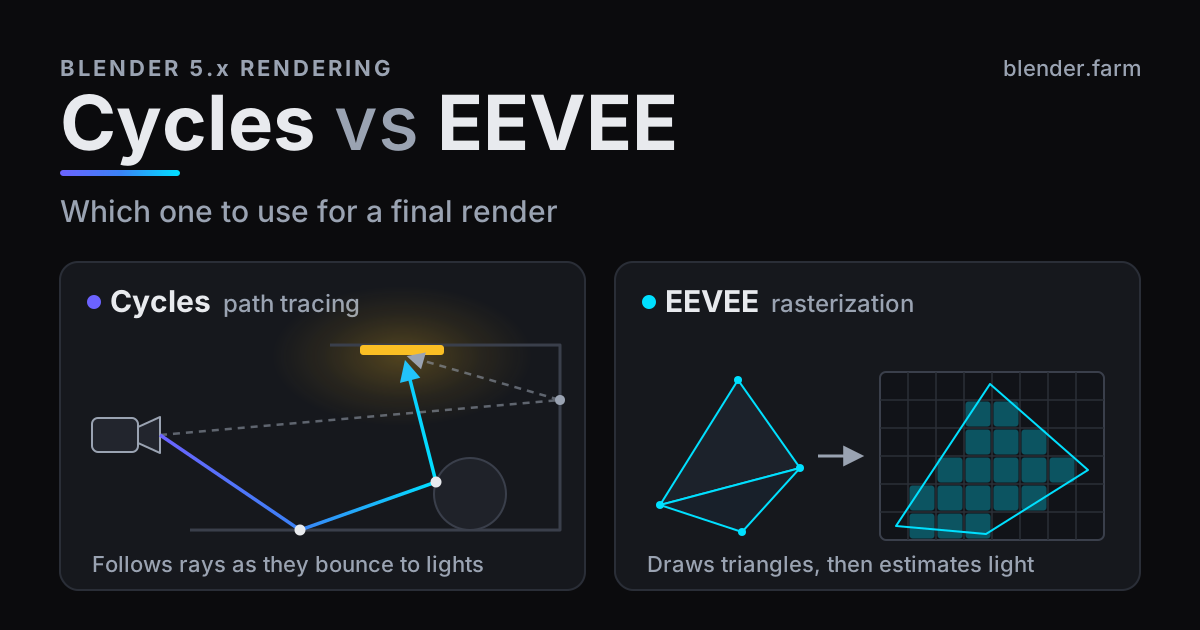
Cycles traces light. For every sample of every pixel it sends a ray from the camera into the scene and follows it as it bounces off surfaces, passes through glass and scatters in volumes until it reaches a light. Reflections, refraction, soft shadows and fog all come out of the same rays, so they agree with each other. The price is noise: each sample is one random path, and a clean frame needs many of them.
EEVEE draws. In the manual's words, “instead of computing each ray of light, rasterization determines what surface is visible from the camera. It then estimates the way light interacts with these surfaces and materials using numerous algorithms.” Shadows come from shadow maps, reflections from rays traced against the screen's depth buffer, and whatever the screen cannot see from light probes. Each is its own approximation, and the manual is upfront that “there will always be small differences between Cycles and EEVEE.”
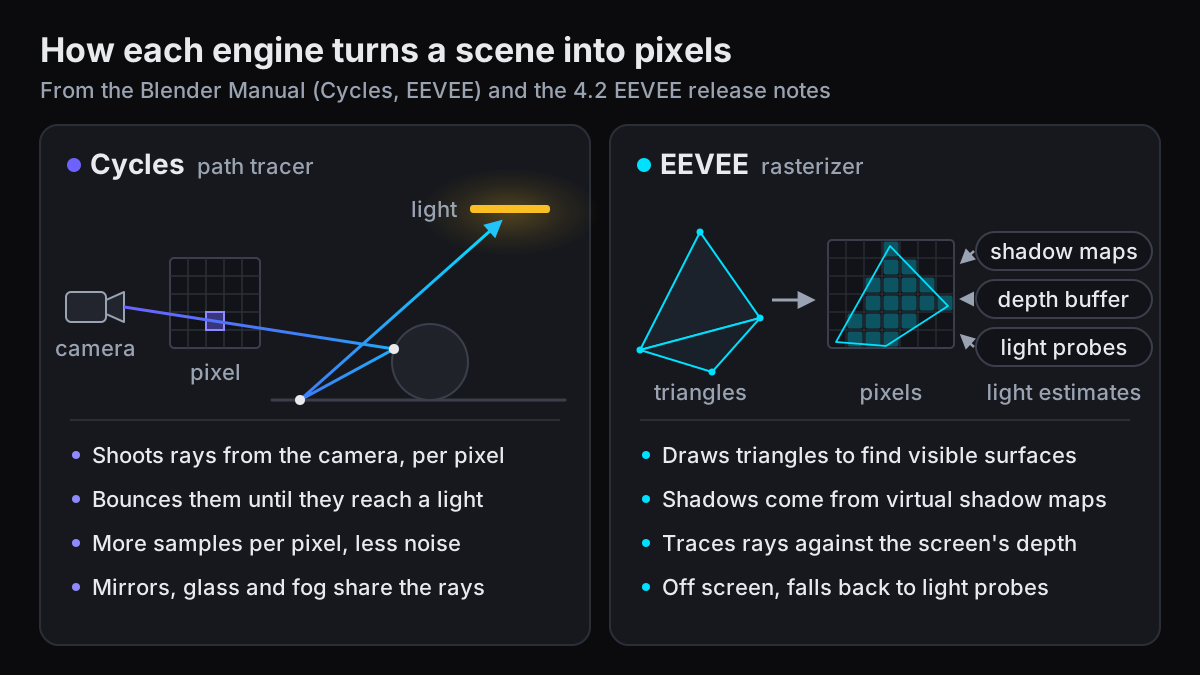
Both engines read the same shader nodes, so one scene can switch between them from the Render Engine menu at the top of the Render properties. The match is not perfect: some utility nodes are not supported in EEVEE, and lights behave a little differently (an EEVEE light has one colour and no node tree, and spot light size does not soften the cone).
EEVEE is not the engine older comparisons describe
Comparisons written before Blender 4.2 LTS describe an engine that has since been rewritten. The 4.2 release notes open with “The EEVEE render engine was rewritten to allow deeper changes, removing long standing limitations and facilitating future evolution.” What changed for final renders:
- Ray tracing for every material. “EEVEE now uses screen space ray tracing for every BSDF. There is no longer any limitation to the number of BSDFs.”
- Virtual Shadow Maps. Shadows are rendered with Virtual Shadow Maps, which the notes say “greatly increases the maximum resolution, reduces biases and simplifies the setup.” Shadow bias is now computed automatically.
- Displacement. Displacement is supported, except Displacement Only, which falls back to Displacement And Bump.
- World volumes. They “are no longer limited to clipping distance, which means they can completely block sun lights and the world background.”
- Subsurface and refraction. Subsurface scattering no longer leaks between objects, and a new Thickness output models refraction, subsurface scattering and translucency better.
Two defaults in Blender 5.1 matter as well. A new file from the factory settings opens with EEVEE as its render engine (checked in 5.1.1), so a scene you never switched renders in EEVEE. And in that same file the Raytracing panel in the Render properties is switched off. With it off, EEVEE uses what the manual calls “a faster pipeline that uses pre-filtered light-probes” instead of tracing rays per material. A test on defaults undersells the engine, so tick Raytracing before you judge it.
Where EEVEE falls short in a final render
The manual keeps a long page of EEVEE limitations. Most are small. These are the ones that change a final frame, or stop it rendering at all.
Volumes are seen by the camera only
EEVEE volumetrics support only single scattering, and they are rendered only for camera rays: in the manual's words, “They don't appear in reflections/refractions and probes.” Volumetric shadowing works only inside volumes: fog and smoke cast no shadows onto solid objects. The Volume Shadows option under Sampling > Shadows lets volumes shadow other volumes, and the manual calls it “a very computationally expensive option”.
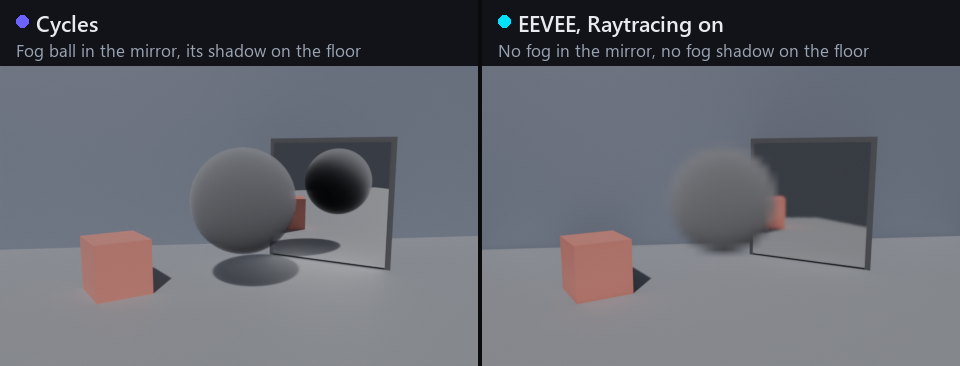
That rules EEVEE out for a foggy street reflected in a puddle, smoke seen through a window pane, or a smoke column that should darken the ground. Note what the comparison is not about: Light Paths > Max Bounces > Volume in Cycles is 0 in a new 5.1.1 file, which is single scattering too, and the Cycles half above used that default. The difference is visibility, not scattering. If Cycles fog is your bottleneck, why Blender volumetrics render slow covers the settings that cut its cost.
GPU only, and one GPU
EEVEE renders on the GPU only, and the manual says there is “no plan to support CPU (software) rendering”. There is also “no support for multiple GPU systems”, so a second graphics card does not speed up an EEVEE frame. Cycles renders on the CPU, on one GPU or on several, chosen under Edit > Preferences > System > Cycles Render Devices.
Memory you cannot predict
In EEVEE the GPU driver manages memory. Using too much “can make the GPU driver crash, freeze, or kill the application”, and the manual adds that “there is no standard way of estimating if the resources will fit into the GPU memory”. Cycles has a fallback: with CUDA, OptiX, HIP and Metal, when GPU memory is full Blender automatically tries system memory, at a cost in speed. How much VRAM Blender needs goes further into sizing a scene.
Smaller limits worth knowing
- Refraction. Only one refraction event is modelled correctly; a second is approximated with the Thickness workflow. Glass behind glass and a drink in a glass are where it shows.
- Screen edges. Rays are traced against the depth buffer, so what is off screen or hidden behind another object is not considered, and screen-space effects disappear at the frame border. Film > Overscan partly fixes the border.
- Cameras. Only perspective and orthographic projections are supported, so panoramic renders, 360-degree VR included, need Cycles.
- Precision. EEVEE output has half-float (16-bit) precision, and the Combined and Light passes clamp negative values to zero. That matters most when you composite from EXR passes.
- Headless Windows. Headless rendering is not supported on headless Windows systems, such as a Windows render box with no display.
What Cycles costs you: render time
Cycles pays for its accuracy in samples. A new 5.1.1 file sets Cycles to Max Samples 4096 with adaptive sampling on (Noise Threshold 0.01) and denoising on. EEVEE renders 64 samples (Sampling > Render > Samples). The two numbers are not comparable. Adaptive sampling stops sampling a pixel once it is less noisy than the threshold, so 4096 is a ceiling rather than a count, while EEVEE renders exactly the samples you set, which also makes its frame time easier to predict.
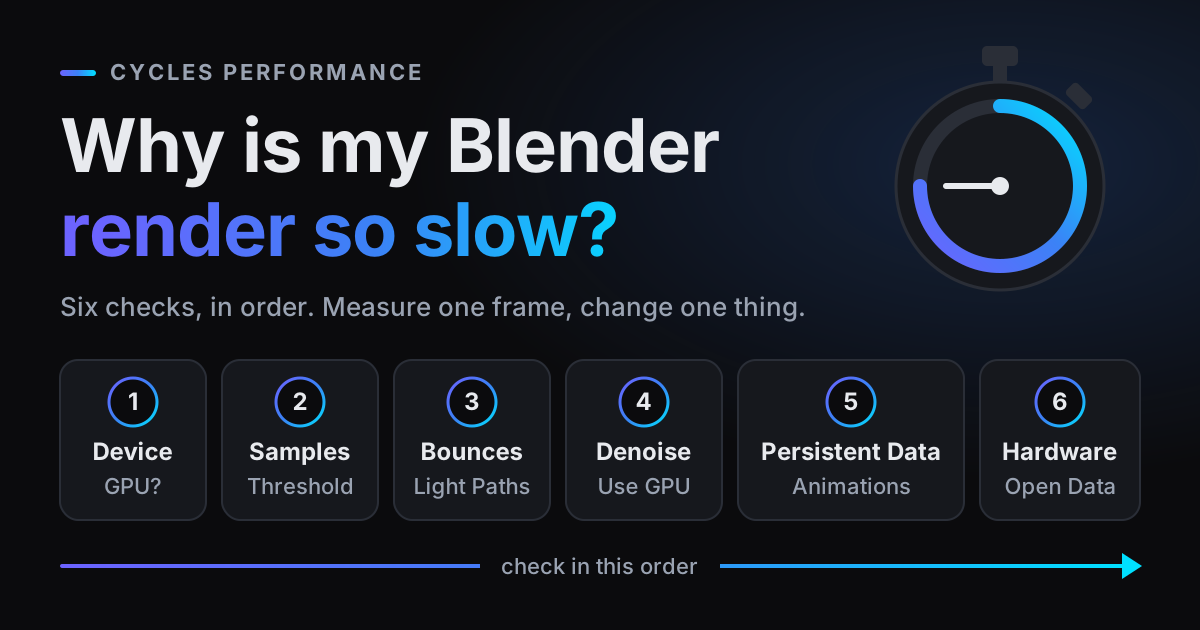
How much longer Cycles takes on your shot depends on everything in it: lights, glass, volumes, hair, resolution and your GPU. There is no honest fixed ratio between the engines, which is why the test below times both on your own machine. If Cycles is the right engine and the time is the problem, why your Blender render is slow covers bringing Cycles time down.
EEVEE or Cycles for animation
For animation, decide per shot, not per project. Reasoning from the limits above:
When Cycles is the safer choice
- Fog, smoke or steam seen in a mirror, in water or through glass.
- Smoke or fog that should shadow the ground or the characters.
- Several layers of refraction: glass behind glass, a drink in a glass.
- Archviz and product shots where the light has to be physically right.
- Panoramic cameras, including 360-degree VR.
When to use EEVEE
- Stylised, toon and NPR looks, where the image is art-directed rather than measured.
- Motion graphics, title sequences, previs and animatics. The manual describes EEVEE as “focused on speed and interactivity”.
- Long sequences whose look survives the A/B test below.
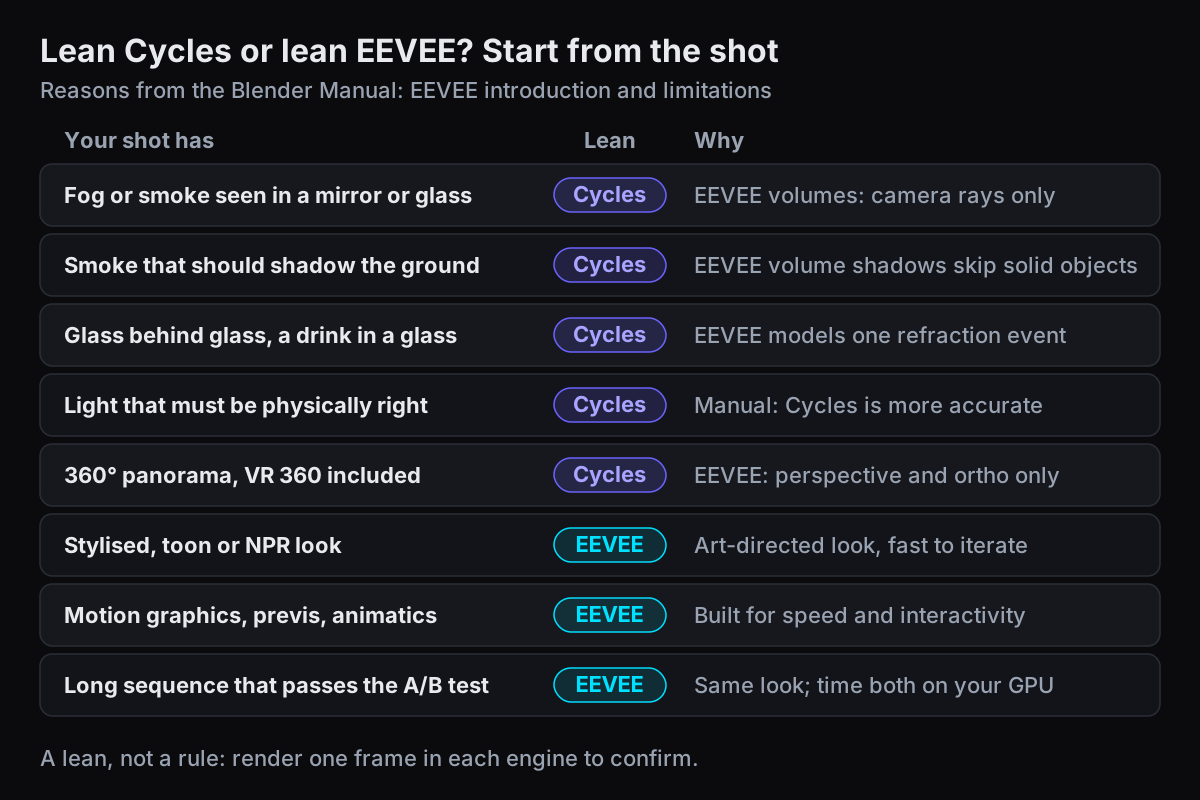
Mixed projects are normal. Each scene in a .blend keeps its own render engine, so the fog-heavy shots can render in Cycles while the graphic inserts stay in EEVEE.
A quick A/B test on your own shot
Someone else's benchmark scene says little about yours. Test the frame that worries you, once in each engine.
- 1Pick the hardest frameChoose the frame with the most of what EEVEE handles least: fog, mirrors, glass, the busiest lighting. Keep the camera and the frame number the same for both renders.
- 2Render at final resolutionSet Output Properties > Format to the delivery resolution at 100%. A half-size test hides aliasing and fine noise that you will see in the final frame.
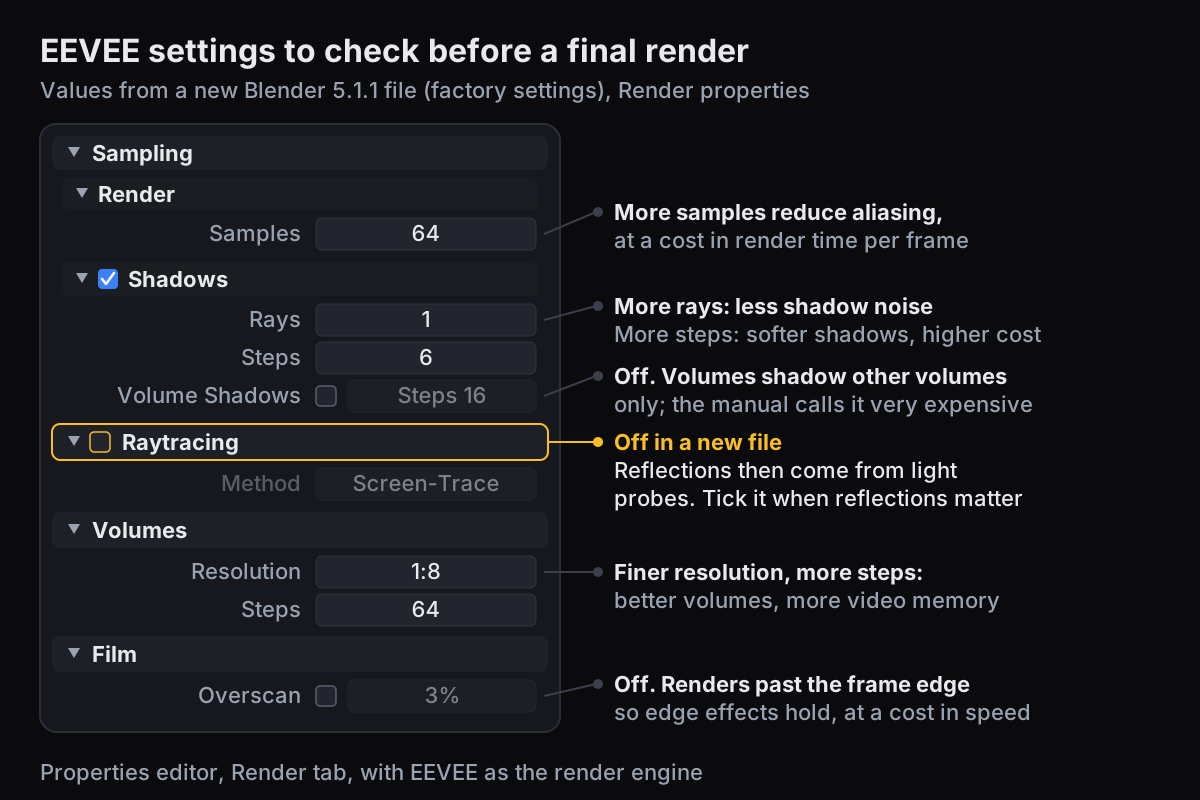
- 3Give EEVEE a fair setupTick Raytracing, turn on Film > Overscan if reflections reach the frame edge, and set Sampling > Render > Samples to the count you would actually use. The settings worth checking are shown below.
- 4Render once in each engineRender with F12. In the render window, open the sidebar (N), go to the Image tab and pick a second slot under Render Slots. Switch the engine and render again. J flips between the two slots.
- 5Compare where the limits predictLook at reflections, anything seen through glass, volumes and the floor under them, and the frame edges. Note the render time Blender reports for each. If nothing differs that you or your client would notice, use the faster engine for that shot.
Does an EEVEE render need a render farm?
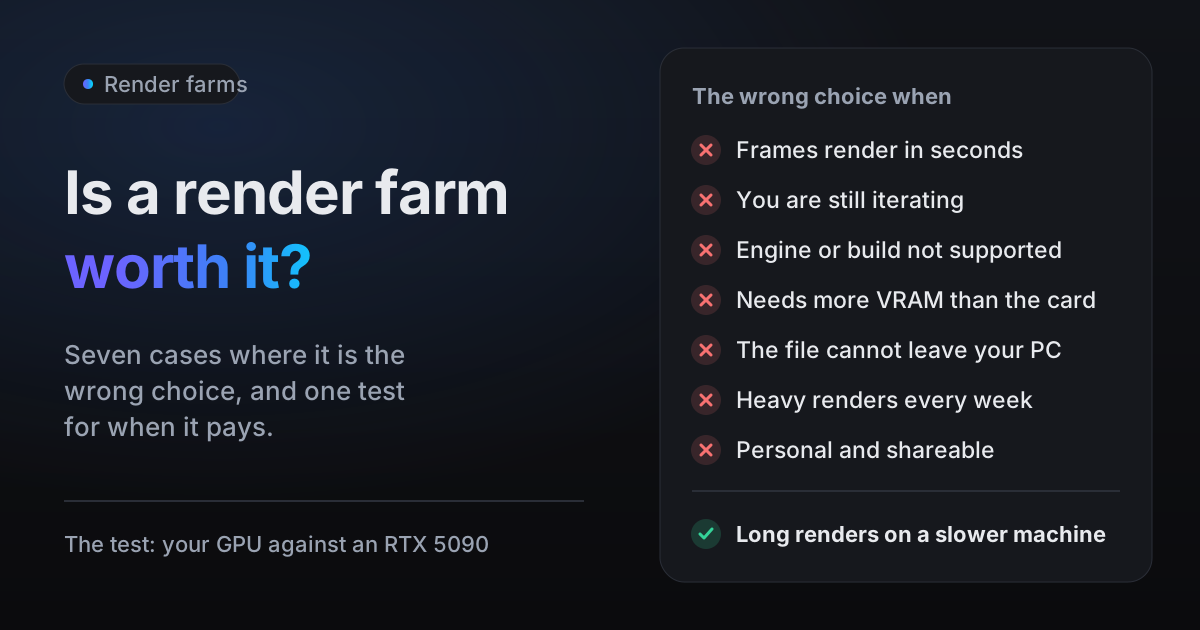
Often it does not. If an EEVEE sequence renders in reasonable time on your own GPU, render it at home: a farm has little to save. EEVEE cannot use a second GPU, so a remote machine makes an EEVEE frame faster only if its card is faster than yours. Is a render farm worth it lists the cases where a farm is the wrong choice.
Long or heavy Cycles animations are where one dedicated RTX 5090 earns its cost: thousands of frames, volumes, glass, high sample counts, and a computer you need for other work while it renders. As an example of the arithmetic, 1,500 frames at 2 minutes each on your machine is 3,000 minutes, 50 hours with that machine busy. A dedicated RTX 5090 is faster than most artists' hardware, and blender.farm bills only the time Blender spends rendering, in 5-minute blocks, at about $3.00 per render hour on the 10-credit pack and about $2.25 on the 200-credit pack.
blender.farm renders both engines on an NVIDIA RTX 5090 with 32 GB of VRAM, one GPU per render: Cycles on OptiX, falling back to CUDA, and EEVEE. The engine is read from your .blend, as Step 1: Scene shows, so there is nothing to set again for the farm. The add-on's estimate also checks the scene against the card's memory before you send it, which matters for EEVEE: going over usually means the render fails rather than slowing down. Versions and formats are listed in Limits and retention.
Questions
- Is EEVEE good enough for final renders?
- For many shots, yes: the manual says EEVEE can “produce high quality final renders”. Check whether your shot depends on its documented limits, such as fog in reflections, several layers of refraction or a panoramic camera, and render one frame in each engine to compare.
- Is EEVEE faster than Cycles?
- EEVEE is designed for speed, but the difference depends on the scene and your GPU, and there is no fixed ratio. Render the same frame at final resolution in both engines on your own machine and compare the times.
- Why does my fog not show in reflections in EEVEE?
- EEVEE renders volumes only for camera rays, so they do not appear in reflections, refractions or light probes, and they cast no shadows onto solid objects. If the reflection matters, render that shot in Cycles.
- Can EEVEE render on the CPU?
- No. EEVEE renders on the GPU only, the manual says there is no plan for CPU rendering, and it does not use several GPUs at once. Cycles can render on the CPU, on one GPU or on several.
- Which render engines does blender.farm support?
- Cycles and EEVEE, both on an NVIDIA RTX 5090 with 32 GB of VRAM. A third-party engine such as Octane or V-Ray is flagged before you launch, because the render machine has stock Blender only.
Sources
- Blender Manual (5.2), EEVEE introduction, read 29 October 2026
- Blender Manual (5.2), EEVEE Limitations, read 29 October 2026
- Blender 4.2 LTS release notes, EEVEE, read 29 October 2026
- Blender Manual (5.2), Cycles introduction, read 29 October 2026
- Blender Manual (5.2), Cycles Sampling (adaptive sampling, denoising), read 29 October 2026
- Blender Manual (5.2), Cycles Light Paths (volume bounces), read 29 October 2026
- Blender Manual (5.2), Cycles GPU Rendering (memory, multiple GPUs), read 29 October 2026
- Blender Manual (5.2), EEVEE Sampling (render samples, shadows), read 29 October 2026
- Blender Manual (5.2), EEVEE Raytracing, read 29 October 2026
- Blender Manual (5.2), EEVEE Volumes, read 29 October 2026