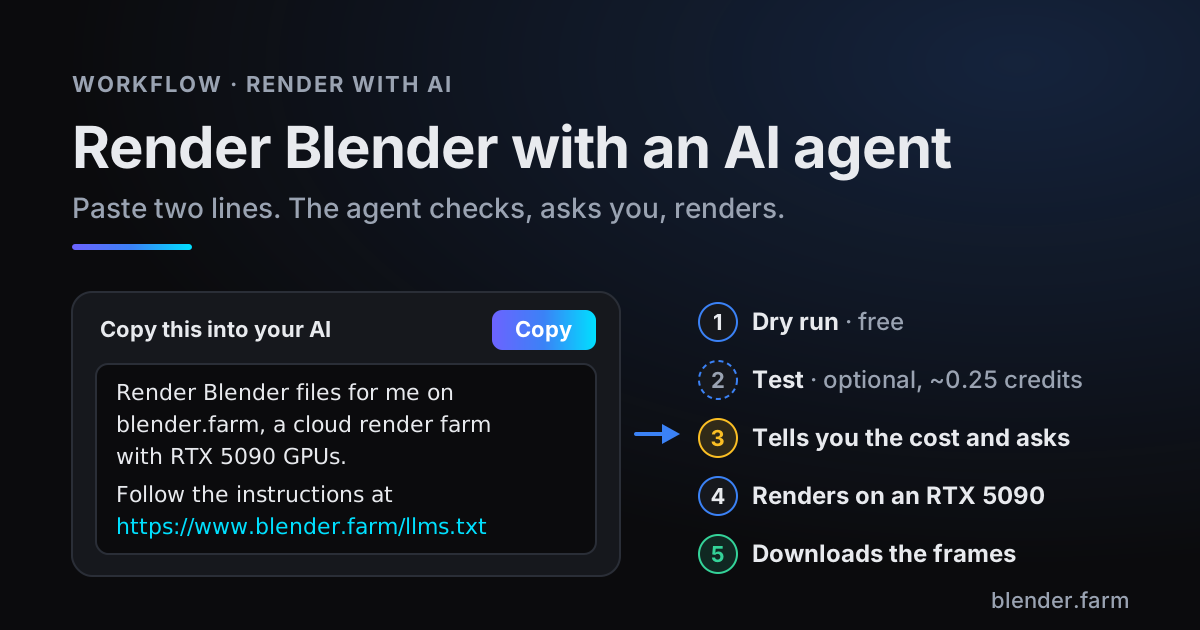
You can now render Blender with an AI agent. Paste two lines into Claude Code, Codex, Cursor or any other agent that can run commands, say which .blend you want rendered, and the agent checks it, tells you what the render will cost, waits for your answer (with a cheap test first if you want one), renders it on an RTX 5090 and downloads the frames. You never learn a single command. This post shows what that conversation looks like, what the agent runs behind it, and where you stay in charge.
It is built on two things blender.farm already offers for scripts: the free add-on's command line and an HTTP API. Hardly anyone wants to read the documentation for either, so we wrote it for the agent instead. The prompt points your agent at llms.txt, a plain text file with the instructions, and the agent does the reading.
Why let an AI agent render for you
The add-on panel is still the most direct way to send one scene. An agent earns its place when the work around the render is the tedious part:
- No commands to learn. The agent reads the instructions; you describe the render in your own words.
- It checks before it spends. A free dry run, the cost, then your answer. A short test only if you want one.
- It does the repetitive parts. Render three .blend files one after another, each into its own folder, or fetch missing frames again after a dropped connection.
- Your computer stays free. The render runs on a cloud RTX 5090. Blender on your machine only opens the file to check and upload it, in background mode, without a window.
What you need
- An AI agent that can run commands on the computer where your .blend is: Claude Code, Codex, Cursor, ChatGPT or another agent, as long as it can run them. One that cannot can still tell you what to type.
- Blender 4.2 or newer on that computer. If the free blender.farm add-on is missing or older than 1.33.0, the agent installs it with one command. The .blend must be saved in a version blender.farm renders: 4.4, 4.5 LTS, 5.0, 5.1, 5.2 LTS or 5.3.
- A blender.farm account. New accounts get 10 free credits, 3h 20m of render time, and the command line works on every account. No API key is needed unless the agent runs somewhere without Blender.
How to render Blender with an AI agent
The prompt lives on the Render with AI page of your dashboard, with a Copy button. It is deliberately short:
Render Blender files for me on blender.farm, a cloud render farm with RTX 5090 GPUs.
Follow the instructions at https://www.blender.farm/llms.txt
- 1Copy the promptOpen Render with AI in the dashboard and press Copy.
- 2Paste it and say what to renderAdd what you want in your own words: the file, the frames, anything that should differ from the file's own settings. "Render shot_010.blend, frames 1 to 250" is enough.
- 3Click Allow, onceThe first time, the agent runs a sign-in that prints a link. Open it in any browser where you are signed in to blender.farm, on the same computer or on your phone, and click Allow. The sign-in is saved in Blender and is the same one the add-on panel uses, so if you have connected the panel before, there is nothing to do.
- 4Answer one questionThe instructions tell the agent to tell you what the render will cost and ask before starting it, and to offer a short test render (usually 0.25 credits) for a firmer number or a look at the frames first. Say yes, and it renders and downloads the frames into a folder.
C:\Program Files\Blender Foundation.An example conversation
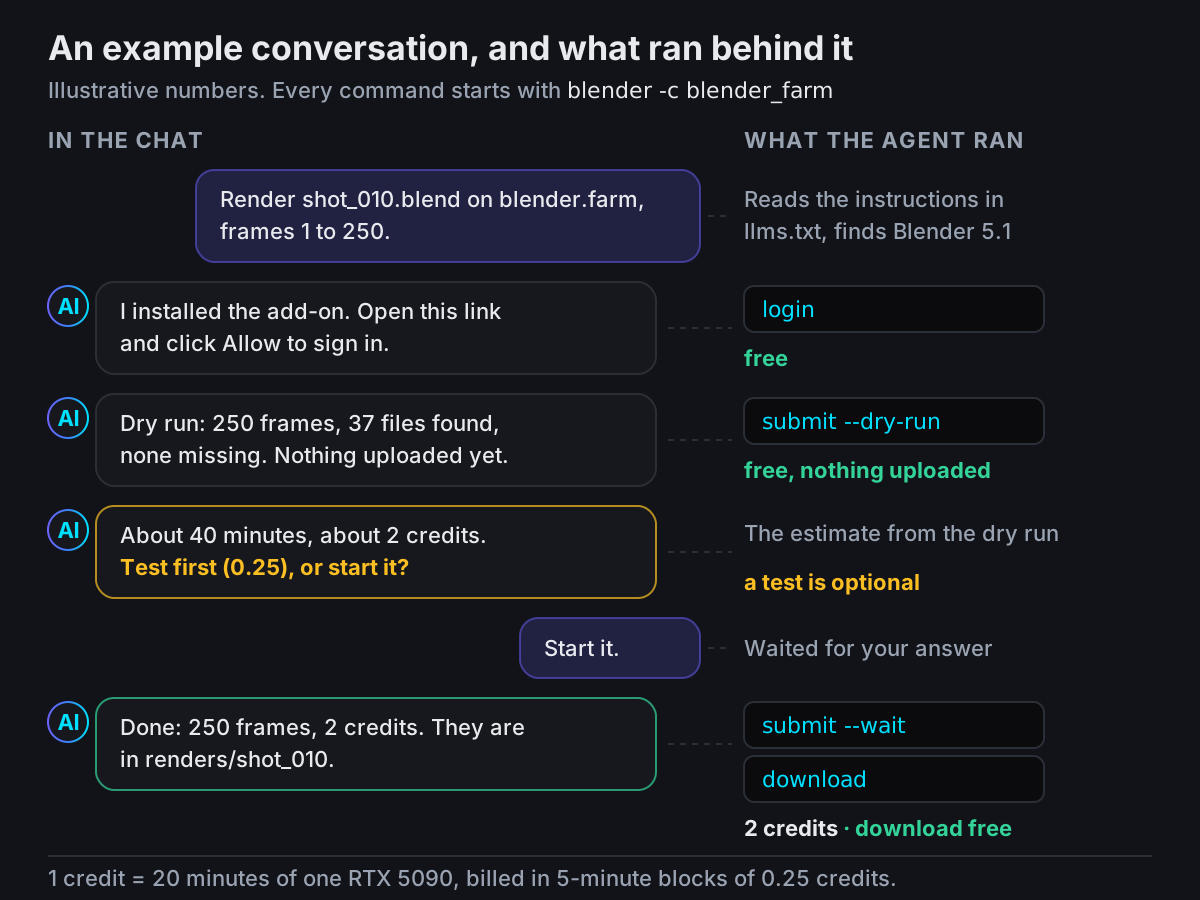
You: (the two lines from the dashboard) Render shot_010.blend in my Projects folder, frames 1 to 250.
Agent: Blender 5.1 is installed here, so I will use the blender.farm add-on's command line. The add-on was not installed in this Blender, so I installed it. To sign in, open this link where you are signed in to blender.farm and click Allow.
You: Done.
Agent: Signed in. I ran a dry run: 250 frames at 1920x1080 in Cycles, the .blend and 37 files it uses, none missing. Nothing was uploaded or charged. The estimate is about 40 minutes of rendering, about 2 credits, and you have 10. It is an estimate: if you want a firmer number or to see the frames first, I can render a 5-frame test, usually 0.25 credits. Test first, or start the full render?
You: Start it.
Agent: Done: 250 frames, 2 credits. They are in renders/shot_010.
Behind those messages the agent ran four commands. You do not need to know them, but this is all it was:
blender -c blender_farm login --json
blender -c blender_farm submit shot_010.blend --frames 1-250 --dry-run --json
blender -c blender_farm submit shot_010.blend --frames 1-250 --wait --json
blender -c blender_farm download --to renders/shot_010 --json
What the agent does, step by step
The instructions give the agent one order to work in. Each step is one command with a clear result, and the agent reads the exit code to know how it went.
- 1Sign in
loginprints a link and finishes by itself once you click Allow. The link opens on any device, so it works on a machine without a screen. - 2Dry run, free
submit FILE --dry-runruns every check the add-on panel runs: scenes and frames, the files it found, anything missing, a cost estimate and the credits needed. Nothing is saved, uploaded or charged. - 3Test render
--testrenders up to 5 frames per scene as PNG on one GPU, usually 0.25 credits, to check the look and the time per frame. - 4Ask youThe instructions tell the agent to tell you the full cost and ask before starting. That is an instruction, not a lock, so read what it says before you answer.
- 5Render and download
submit FILE --waituploads the scene with everything it uses, like Upload & Launch in the panel, and follows the render to the end.downloadthen fetches every frame, the movie if there is one, and compositor File Output files. Run again, it fetches only what is missing.
Ask for changes in plain words
You rarely need to edit the .blend for one render. Tell the agent what you want and it turns that into options on the submit command:
| You say | The agent adds |
|---|---|
| Frames 1 to 120 | --frames 1-120 |
| Every second frame | --step 2 |
| Only the Shot 020 scene, or all of them | --scenes "Shot 020" or --all-scenes |
| As EXR, or as a video | --format OPEN_EXR or --format FFMPEG |
| In 4K, or at half size | --resolution 3840x2160 or --percent 50 |
| With 128 samples | --samples 128 |
| Through the wide camera | --camera CamWide |
These options travel with the render and are applied on the render machine, so your .blend keeps its own render settings. They apply to every scene being rendered. One exception worth knowing: a camera choice is refused when the scene switches cameras with timeline markers, because the markers would win.
With Blender or without: which way the agent goes
The instructions give the agent two ways in and tell it which to pick, so you do not have to.
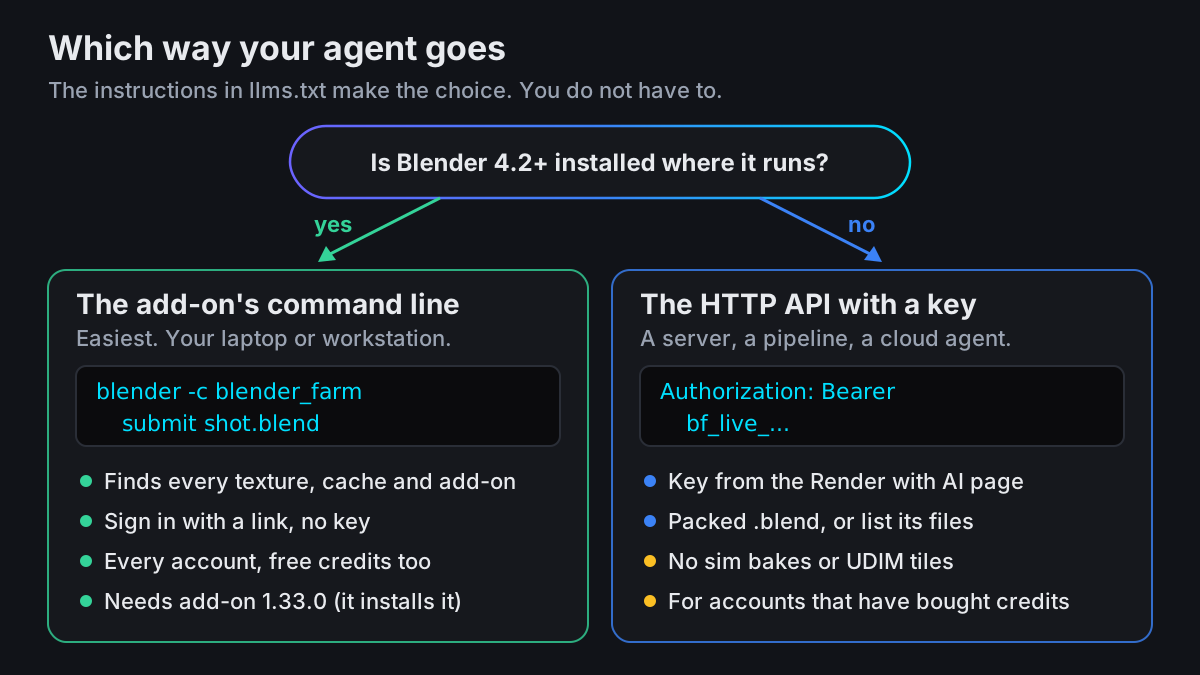
Blender is on that computer, your workstation or laptop: the agent uses the add-on's command line. Blender opens the file, so the add-on finds every texture, linked library, cache and add-on the scene needs and uploads them. The agent only passes the file name. This works on every account and needs no key.
No Blender where the agent runs, such as a server, a pipeline or a cloud agent: it uses the HTTP API with an API key. Create the key on the same Render with AI page; right after you do, the prompt gets a third line with the key, so one Copy hands over both. Paste it only into an AI you trust. The API is for accounts that have bought credits, and it does not read the .blend: the agent sends a packed .blend or lists its files. Simulation bakes and UDIM tiles need the add-on.
When the agent stops and asks you
Every command ends with an exit code the agent can read, and several of them mean the same thing: go back to the person. These are the ones you are most likely to hear about:
| The agent says | What happened | What you do |
|---|---|---|
| You need to sign in | Not signed in, or the sign-in expired | Open the link and click Allow |
| Files are missing | Refused before launch, with the reason: often a texture that is not where the .blend says | Fix the path in Blender, or tell it to render without them |
| This needs your OK | Another of your renders is running, so a second machine costs 1 credit extra | Say yes, or wait for the first render to finish |
| Not enough credits | A launch needs at least 1 credit on the balance | Top up on Pricing, then ask again |
| The render failed | It failed or was stopped while the agent was waiting | Ask it to check the render's status, which says why |
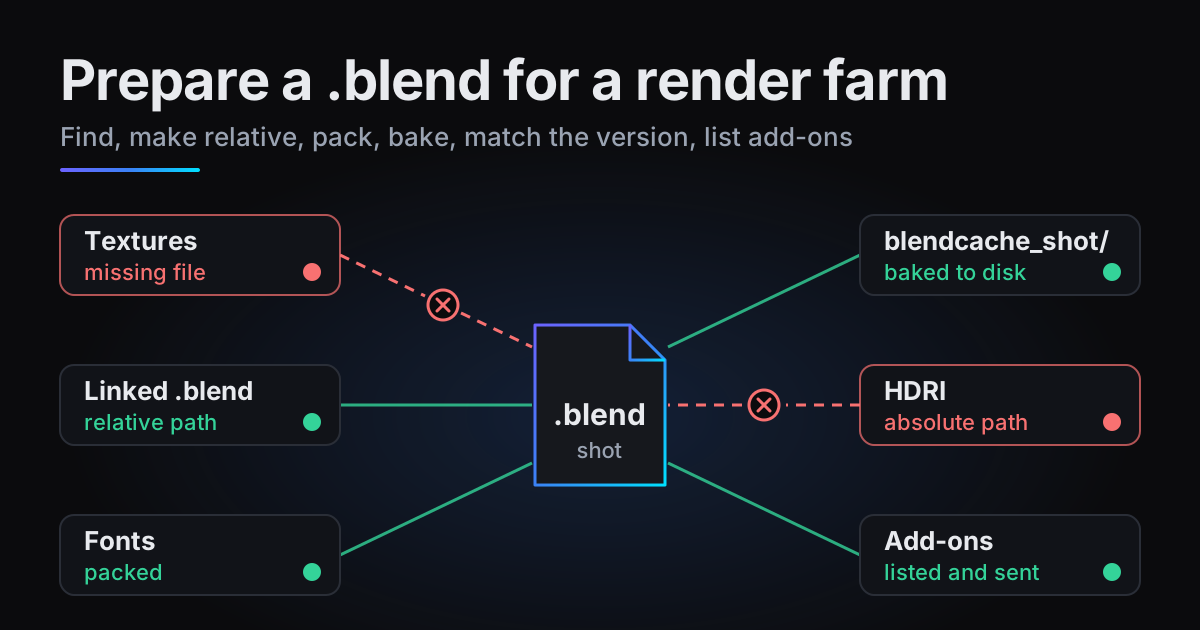
The command line cannot point a missing file somewhere else. If a texture lives in a folder the .blend does not know about, fix the path in Blender once. How to prepare a .blend file for a render farm walks through that.
What it costs
Exactly what the same render costs from the add-on panel. You pay for render time only: 1 credit is 20 minutes of one RTX 5090, charged in 5-minute blocks of 0.25 credits while Blender renders. The dry run is free, the optional test is usually one block, and uploading, waiting for a machine and downloading cost nothing. A launch needs 1 credit on the balance; what the render does not use comes back.
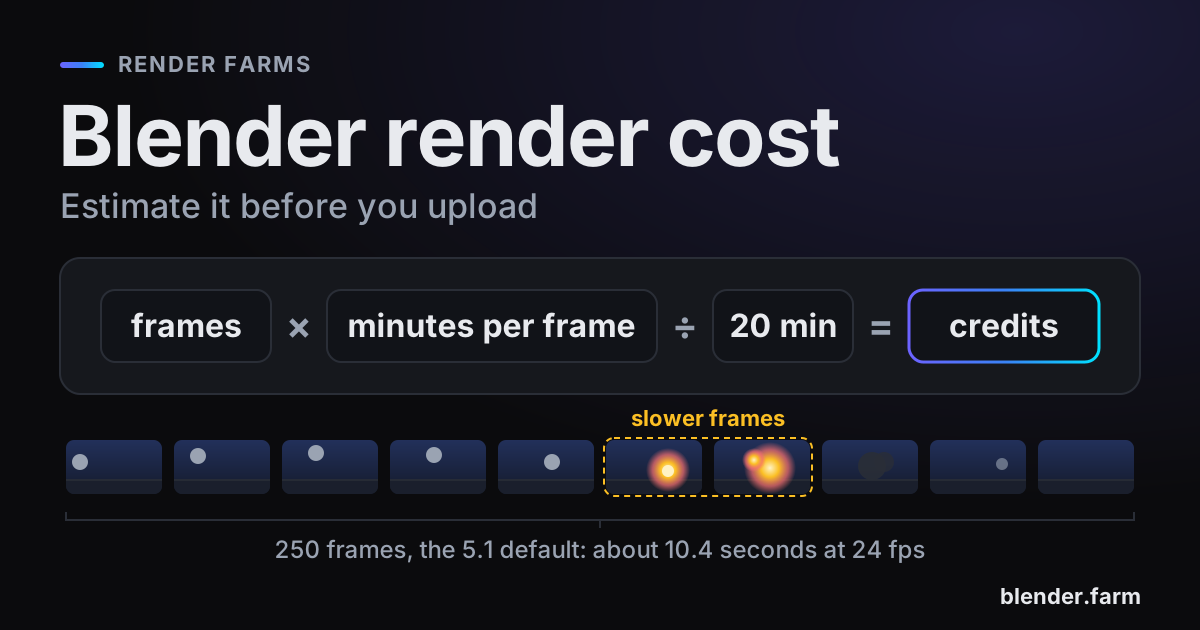
In the example, about 40 minutes of rendering is 8 blocks, so 2 credits. Packs start at 10 credits for $9.99, about $3.00 per render hour, with no subscription: see Pricing and Credits and billing. What a Blender render costs walks through the per-frame arithmetic.
Questions
- Which AI agents can render Blender files on blender.farm?
- Claude Code, Codex, Cursor, ChatGPT or any other agent, as long as it can run commands on the computer where Blender and your .blend are. An agent running somewhere without Blender can use the HTTP API with a key instead.
- Do I need an API key?
- Not when Blender is installed where the agent runs: the add-on's command line signs in with a link you approve and works on every account. A key is only for the HTTP API, which is for accounts that have bought credits.
- Will the agent change my .blend file?
- Not its render settings: frames, samples, resolution, camera and format are applied on the render machine. Submitting does to the file what the panel's Upload & Launch does: it packs the images into it and saves it.
- Can the agent start an expensive render without asking me?
- The instructions tell it to tell you the cost and ask before the full render, with a test only if you want one, and a second machine while another render runs stops the command until it is confirmed. Those are instructions, not a lock, so watch what it runs. You can stop any render from the dashboard, and billing ends with the block in progress.
- Can I use my free credits this way?
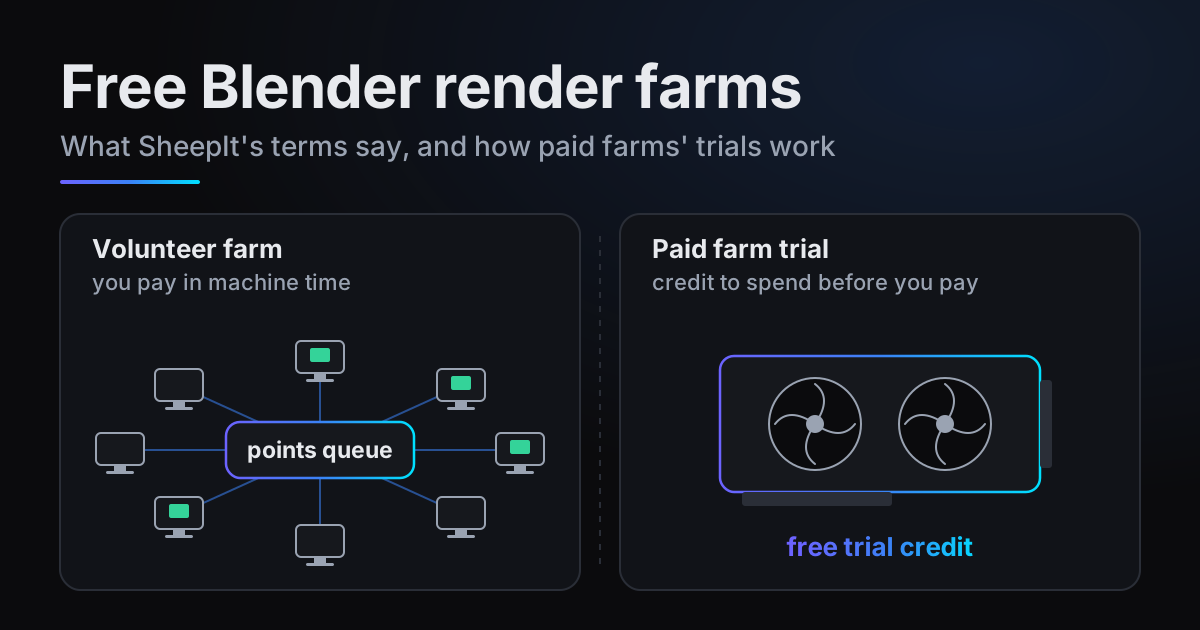
- Yes. The command line works on every account, including the 10 free credits a new account gets, 3h 20m of render time. Only the HTTP API needs a credit purchase first.
Sources
- Blender Manual, Command Line Arguments (-c / --command, -b / --background), read 22 November 2026